
Learnings from training a font recognition model from scratch
Over the past few weeks I've been exploring the process of training my own AI models from scratch, and I started with the idea to build a font recognition model. I've always been interested in fonts, but figuring out the closest matching font in an image has always been a challenge.
I'm only a normal software engineer and not an AI researcher though, so besides the font finder use case, I also took on this mostly for learning purposes to see if I could create a model from scratch, and through the process, better understand the process of training, evaluating, and deploying a model. This post is a write-up of the goal, process, and results from this work.
The Problem
Font recognition is not a new problem - there are a number of existing online tools that help identify fonts from images. However, the existing solutions have a two major shortcomings:
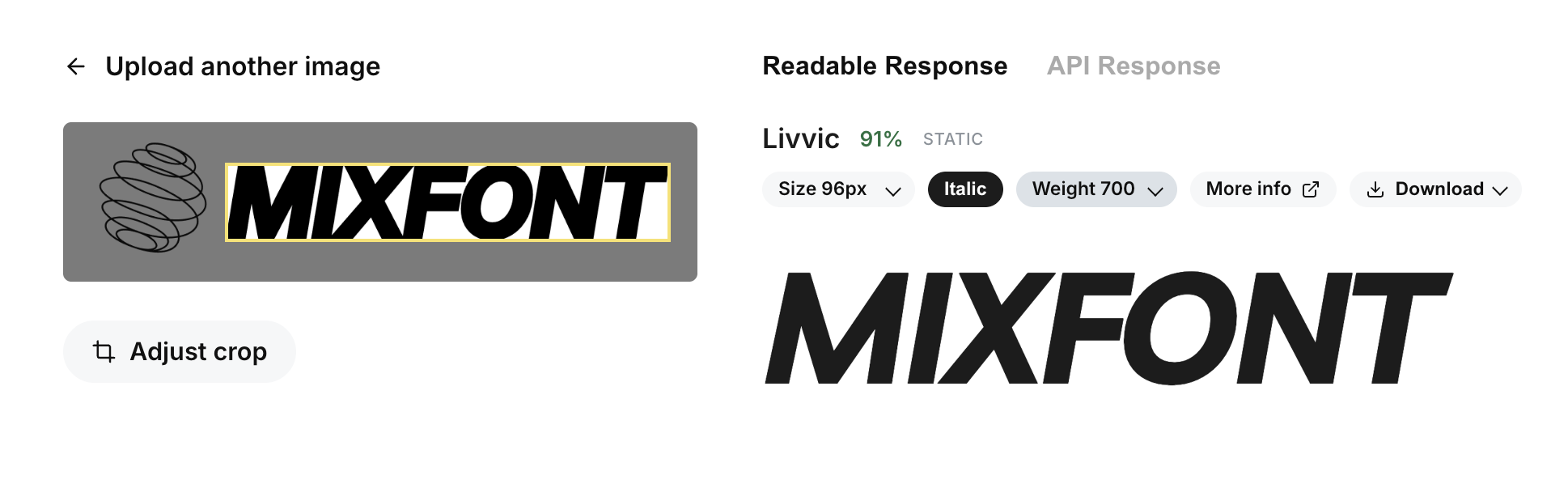
- Most of the recommended engines for identifying fonts work on top of a database of proprietary fonts. Even if a good match is found, the font is often expensive, or not free available to use. In many of my projects, not only am I trying to find a good font match, I'm also hoping to match an image with the closest looking open source font, so that I can use it in my projects without worrying about licensing issues.
- Existing solutions online require a letterform selection step, which requires manual input. I wanted to design a solution that could work on any input image without needing to select a specific letterform.
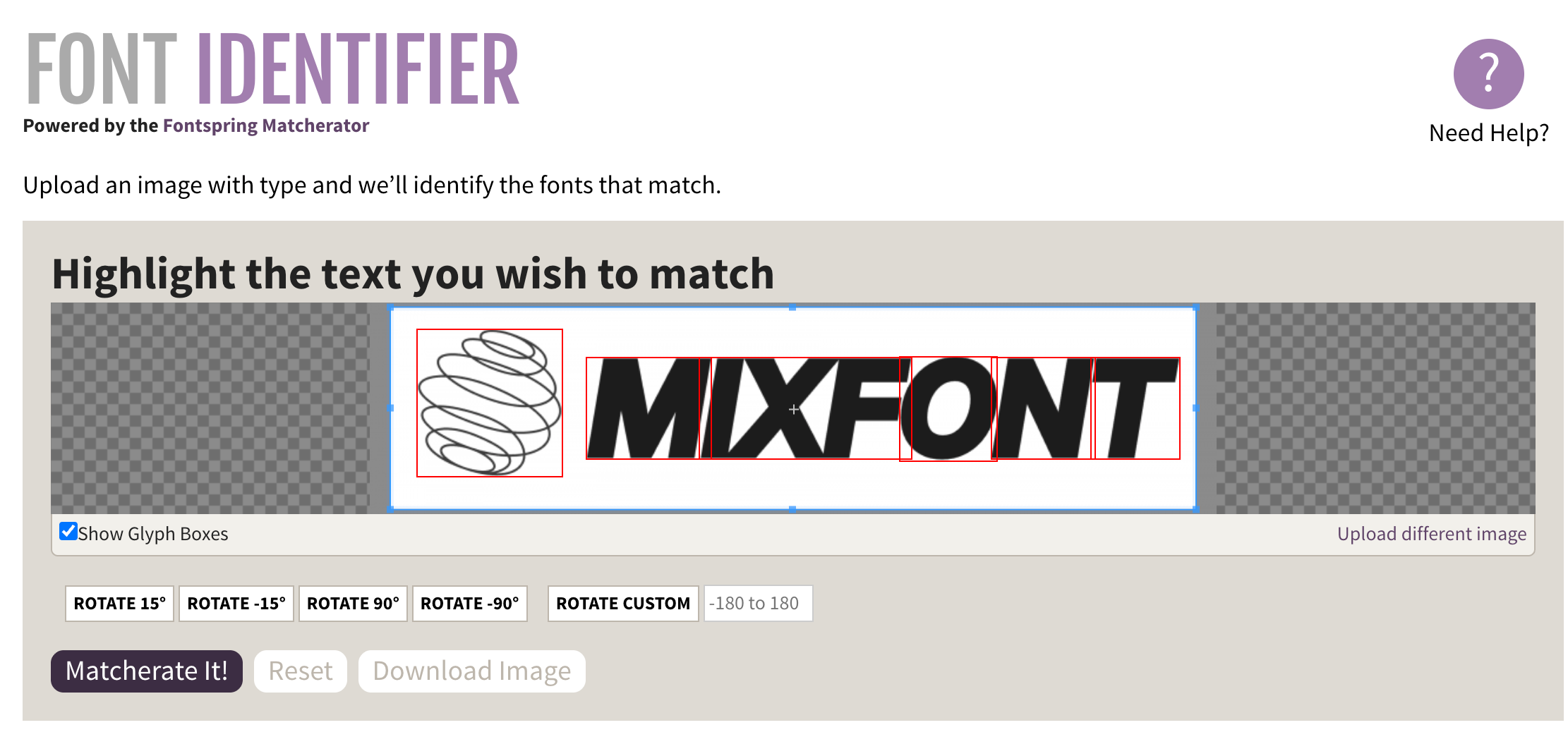
I needed a solution that would work quickly, accurately, and without manual intervention that would identify the closest open-source font.
The Solution
In the end, I was able to train a font recognition model that didn't depend on manual input, and would map any input image to the closest-looking Google Font based on the largest word in the image. I called this model Lens. It works quickly, returning in 2-3 seconds, and handles a variety of font weights, styles, and image qualities. If you're interested to try it out, you can play around with it online on the font finder page.
I also released the full source code for the model and inference stack, and that can be accessed online on GitHub.
Lessons learned
I've been a professional software engineer for over a decade, but I've only done full stack application engineering and I never specialized in AI in any particular way. With the help of Codex, I was able to work my way through the training process step by step, but there were a number of challenges along the way.
A "model" is more than a trained PyTorch (.pt) file
Before starting this project, I had interacted with many "models" in the form of APIs, like the famous Google Nano Banana image generation "model". My impression was that the model was a single trained file that would take input and perfectly produce the output necessary for my application. However, I quickly learned that when we today refer to "models", oftentimes we are in reality referring to a full stack of scripts or code that handle multiple steps of logic. In the case of Lens, the "model" is more than just the trained PyTorch model card. When a user tries to run font recognition, the inference stack first downloads the input image, pads it and cleans it up, runs an OCR box detection, then crops it into the right bounding box of a word. All of these steps don't involve GPU processing at all nor do they require PyTorch - they are simply steps that go into the full "model" pipeline. Even after the actual PyTorch model does the image classification, I have additional steps that run on mapping the outputs to the actual font names and files. The learning here is that a "model" refers to much more than a single trained file, and many popular models today often use multiple steps of logic and processing to get from input to output.
Think carefully about inputs and outputs
When designing the actual neural net part of a model, it's important to be as focused as possible about the inputs and outputs. When I first started, I thought I would just feed random screenshots or images with text into the model. However, I realized that this was causing too much noise for the model to reason about. In some images, if the text was only a small part of the image, the model would have a hard time figuring out which part of the image to focus on.
I eventually realized that a better strategy was to choose the largest word block from an image. This way, I was able to handle images that might have many different sizes of text, or images where multiple different font styles were present. When I decided that this would be the new input to the model, I was also able to focus my efforts on generating highly relevant training data that would match this input format as closely as possible.
Data collection and cleaning is 90% of the work
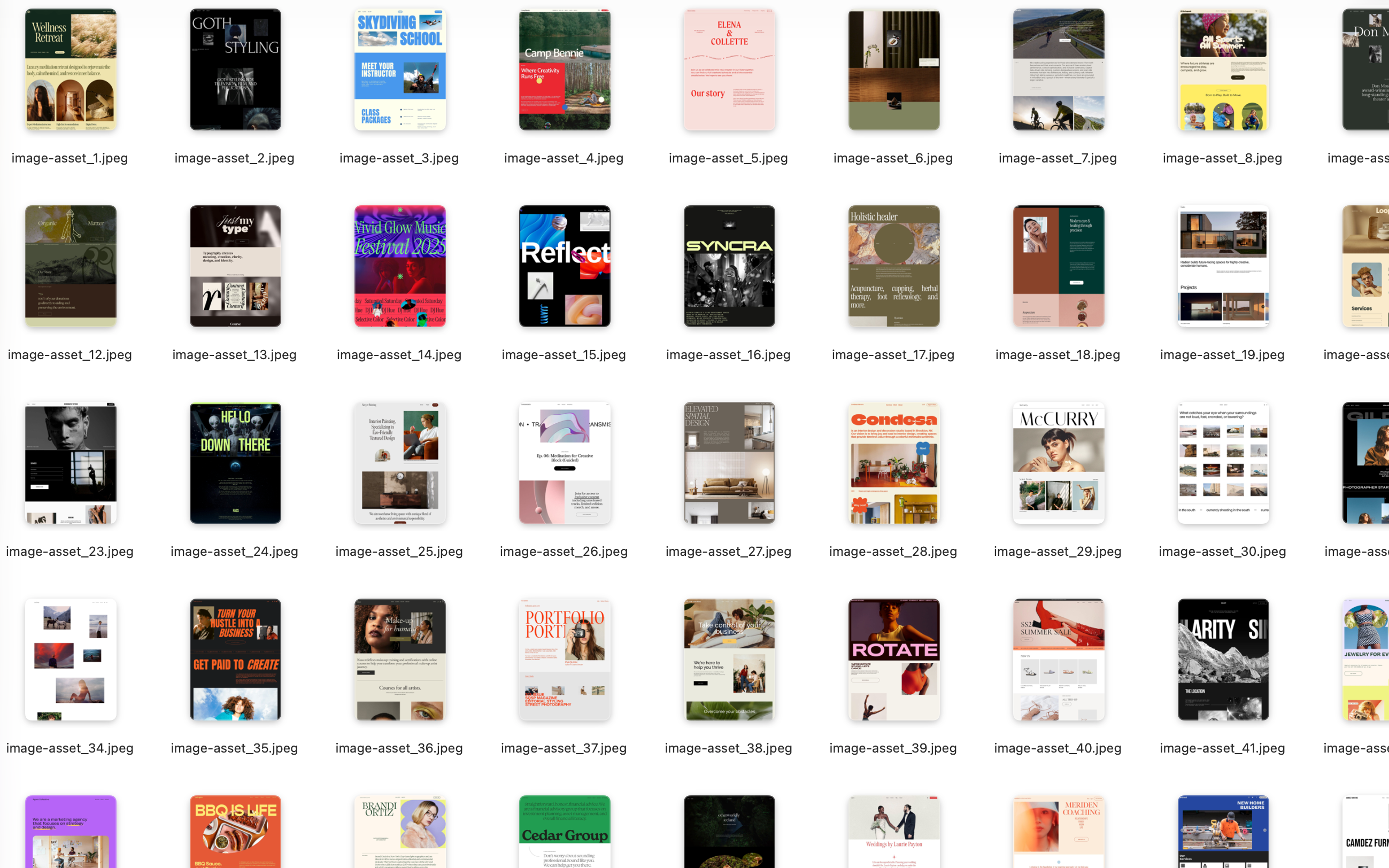
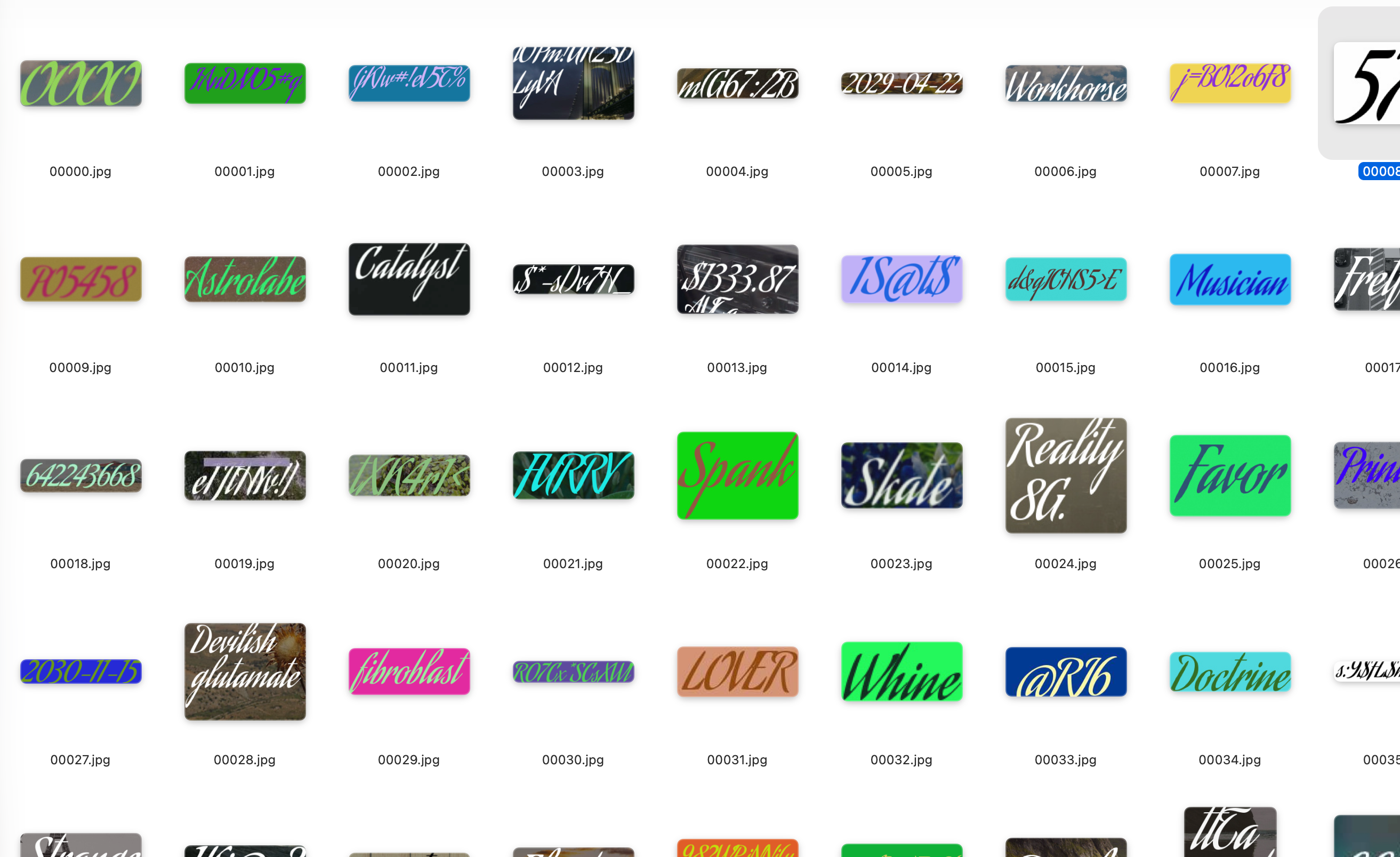
When I was getting started with PyTorch, I was pretty intimidated by a lot of functions that I didn't understand. There were all sorts of new vocabulary and concepts - shards, epochs, loss curve, batches, buffers - that were foreign to me as an application engineer. However, as I made progress, I realized that writing the training scripts was actually the easy part. With the help of AI, I was able to set up basic training scripts without too much trouble. The real challenge actually became collecting and assembling my data in the right format. For this project, I knew that I wanted users to be able to input images with text on them, but to train on this data, I needed millions of images where the fonts were already identified. If I were to take screenshots from the web, for example, I would also need to go through and accurately label each screenshot with the correct font - a process that could take a very long time. Luckily, I realized that I could generate the images from the exisiting fonts that I was trying to classify, but then the challenge became rendering these images into a format that I expected users would input.
I realized through this process that the data truly is the "answer key" of the model. The model needs to know what the questions are, and then what the correct answers are. Deciding the correct format, then creating this answer key, became one of my main challenges.
Separate CPU and GPU work, and offload as much CPU work as possible
With my first training scripts, I had a lot of CPU work happening in the same script as the GPU training. An example of this would be the image processing steps. Initially, on each iteration, I would resize images, compress them, then pass them into the model for training. However, when I did my first training run on a GPU, I saw that the GPU utilization was only around 10%. I realized that the CPU work was actually preventing the GPU from being fully used, and I had to change my training scripts so that I could offload all the CPU work up front. On my later training runs, I would first process all of the images locally and then only run the training script once I had minimized as much CPU work as possible.
Start small, then slowly scale up
One of the things that helped the most with this process was to start with training a model that could classify only 5 fonts, each trained with only 10 images. I was able to create the dataset very quickly, and I could also train the model in just a few seconds even on my local computer. This allowed me to quickly iterate, find bugs with my process, and also optimize the scripts before I went for a larger dataset or more fonts. I also focused on getting the model to run efficiently with just five fonts before I added more. I think that trying to start small helped a lot with understanding the end to end process and made it much easier to anticipate issues with the larger model.
Moving large datasets to the cloud is a challenge in itself
I had quite a bit of trouble when it came to running my training in the cloud. One of the biggest problems was actually the upload speed of getting my data onto the cloud itself. With a dataset that was 20-30GB of images, it would take me a whole hour to upload the data into the cloud on my local internet. Once, my internet connection stopped working 90% of the way into the upload, and then I had to cancel the whole thing and start over again (I did implement a better retry method after that happened). I didn't anticipate the challenge of actually working with a large dataset when trying to train on a cloud GPU, and I will take it into account much more for future projects.
Find ways to speed up iteration cycles
One major challenge with training models is that the iteration cycle can be very long. Even for this font recognition model, generating all the data for all the fonts would take 20-30 minutes, uploading this dataset to the cloud would take an hour or so, and then training the model itself would take another 4-6 hours. This made it so that testing and iterating on new versions of the model would at least take a full day or require me to do an overnight run. I began to look into new ways to speed this up, whether it was by optimizing the data generation process, or by finding ways to run the training more efficiently. I think it's inevitable that newly trained models will need to be retrained and iterated on, much like writing new application code. Finding ways to speed up this iteration cycle will be key to making it easier to maintain and improve models over time.
Building is the easy part, distribution is still a challenge
Despite all the learning lessons I had training and creating the model, getting distribution and attention for the model itself is still the harder problem. Even though I'm confident that Lens is quite literally the best solution in the world for identifying the closest-looking open-source font in an image, I still need to put myself and my work out there so that other people might care. I tried launching on Show HN but unfortunately only got 3 upvotes haha. Not complaining - I always knew that distribution would be a challenge and it's a separate problem that I want to learn more about and solve over time.
What's Next
Despite these challenges, I'm happy with the results of the project. In my own testing, the model performs much more accurately than exsting online solutions. I also put the full weights and inference stack on Github so I'm hoping that this project will lead to new lessons around launching a model.

In the future, I want to continue improving the model and also find ways to make it more widely available. I also want to explore training other models for different use cases in the space of typography and design - stay tuned for some exciting updates. Thank you for reading!