Models

Mixfont models cover two typography workflows: Lens helps teams identify usable open-source matches from reference imagery, and Forge is being built to turn image-based direction into original font files.

Open Mixfont
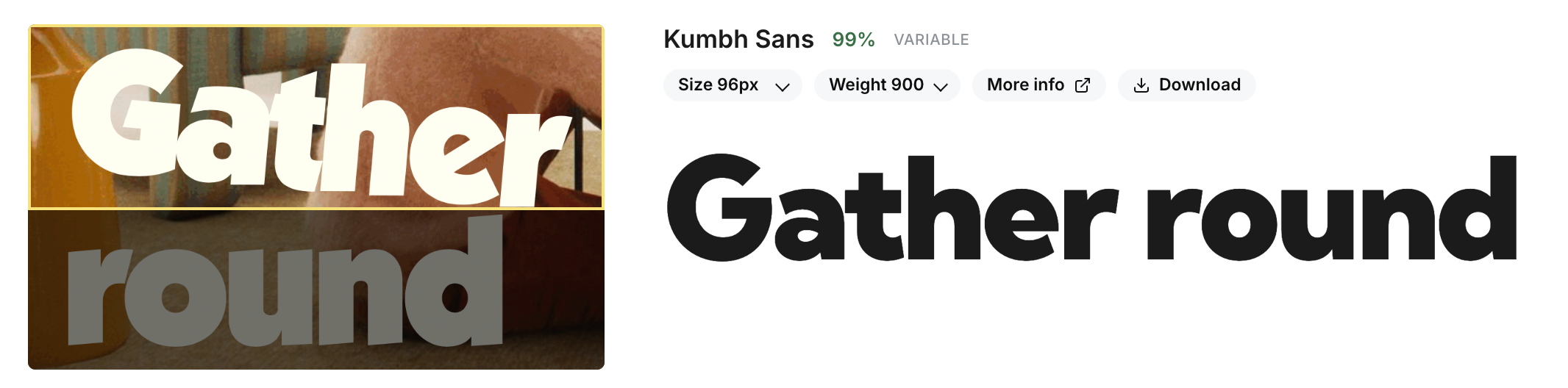
Mixfont model workflow preview showing typography analysis inside the product interface.

Recognition now. Generation next.

Mixfont’s model lineup is built around two different typography jobs. Lens helps teams understand the fonts already present in an image, while Forge is being built to turn visual direction into an original typeface.

Together, those workflows cover both sides of the decision: finding a usable production match when speed matters, or moving toward custom font creation when the project needs something unique.

Open Mixfont
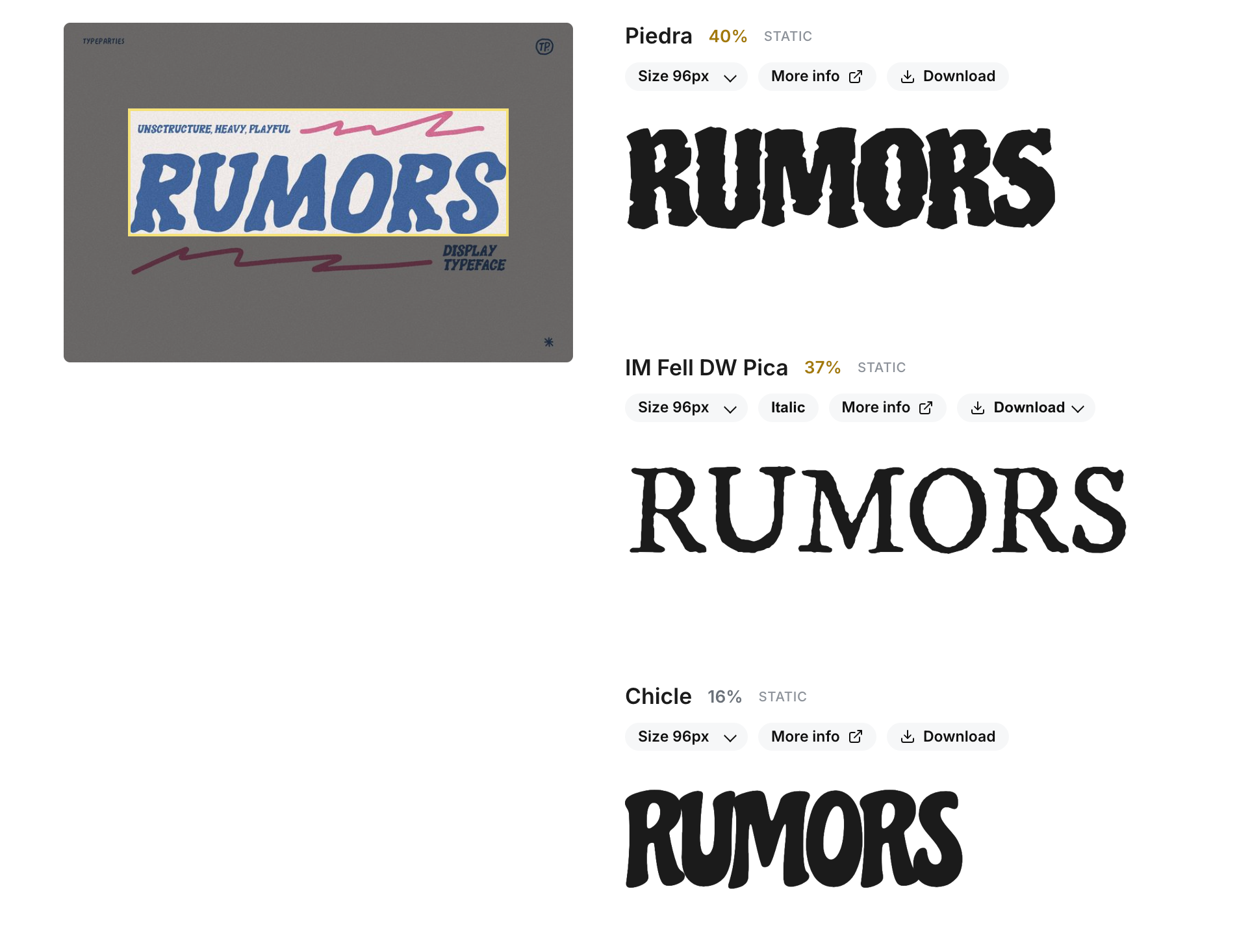
Mixfont Lens recognition result shown as part of the broader models overview.
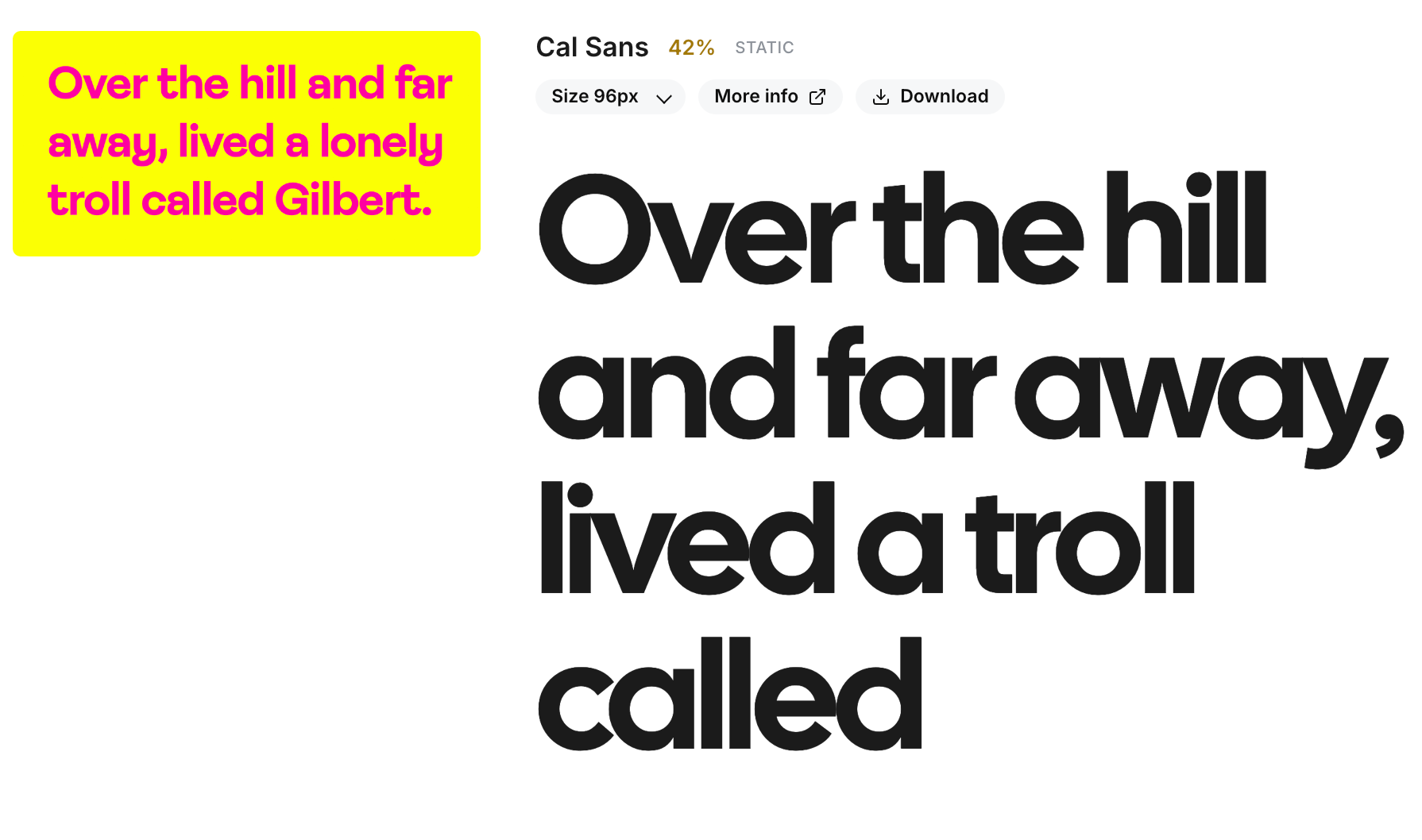
A second Mixfont interface preview highlighting the product workflow around model outputs.
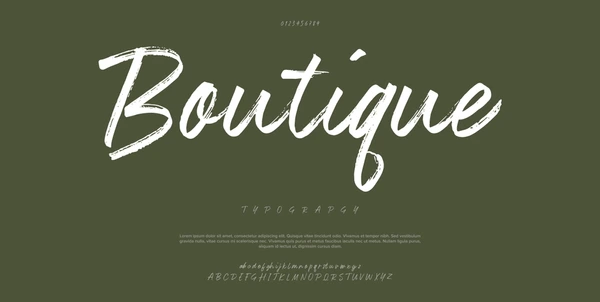
A stylized Boutique lettering reference image representing the kind of visual input Mixfont models can start from.

How the models fit together

01

Lens

Lens is the model to use when you need to identify typography from an image. It isolates a clear word sample from screenshots, scans, mockups, and creative assets, then returns ranked open-source font matches that can be tested immediately.

That makes Lens useful for recreation, QA, licensing-safe substitution, and any workflow where the fastest path is finding the closest real font rather than building something new.

02

Forge

Forge is Mixfont's generation model. Instead of matching the image to an existing family, it is being built to read the visual cues in a reference and synthesize an original font system from that direction.

Forge is still marked coming soon, but it represents the second half of the platform strategy: moving from understanding typography to creating wholly new type assets guided by imagery.

03

Access

Mixfont is organized around image-first workflows, so the models are meant to feel connected even though they solve different problems. Lens is available today in the workspace and API, while Forge is expected to follow the same product path as it becomes available.

That shared structure lets teams standardize on one platform for both recognition and generation workflows instead of stitching together separate tools for each step.

Frequently Asked Questions

What models are available on Mixfont?

Mixfont currently highlights two core models: Lens for font recognition and Forge for font generation. Lens is available now, while Forge is still in training and listed as coming soon.

What is the difference between Lens and Forge?

Lens identifies the closest usable open-source font from an image. Forge is being built to generate an original font from that kind of image reference instead of pointing you to an existing family.

Which model should I use if I already have an image reference?

Use Lens when you want to recognize or replace typography already shown in the image. Use Forge when the goal is to turn that visual direction into a custom typeface rather than find an existing match.

Can Lens help with font licensing constraints?

Yes. Lens is trained to return open-source font options, which makes it useful when you need a practical alternative to a licensed or commercial typeface found in a visual reference.

Is Forge already available in Mixfont?

Not yet. As of March 13, 2026, Forge is still marked coming soon while the generation workflow and release details are being finalized.

Will both models be available through the API?

Lens is already positioned for both workspace and API use. Forge is planned to follow Mixfont’s platform and API approach as it moves toward release, but its final access details have not been published yet.

Can teams use Lens and Forge together?

Yes. The models address different points in the same typography workflow: Lens helps you understand what is in a reference today, and Forge is aimed at creating new font assets from that kind of visual direction when a project needs something original.

Available now

Are you ready?

Sign in to start using Lens today and stay close to Forge as Mixfont expands from recognition into generation.

Open Mixfont