Lens

Lens is Mixfont's open-weight font recognition model for mapping images of text to the closest open-source font.

Try Lens
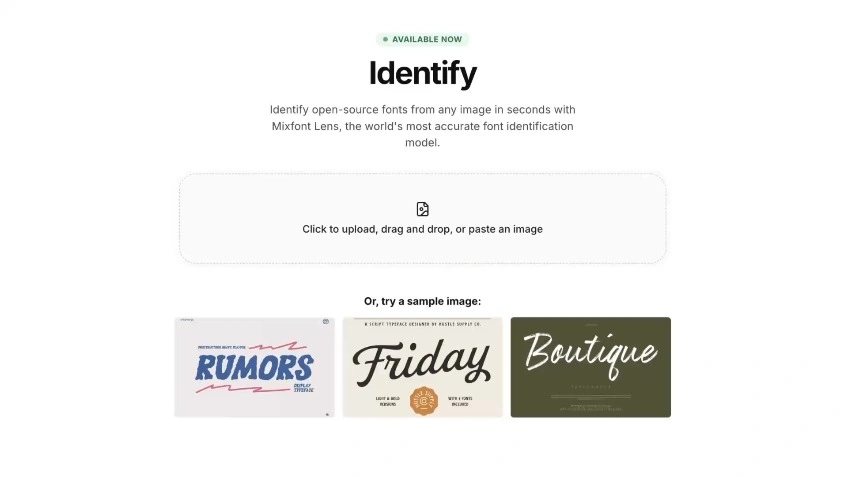
Lens preview showing a typography reference image inside a warm-toned frame.

The world's first font recognition neural net

Lens is the first model built specifically for font recognition, trained on a dataset of real-world typography samples and designed to return actionable open-source font matches. Go from image to font candidate in seconds.

Lens was specifically trained on Google Fonts and other open-source font options to ensure that all detected fonts are freely available and can be used in all projects, personal or commercial.

Get started with Lens
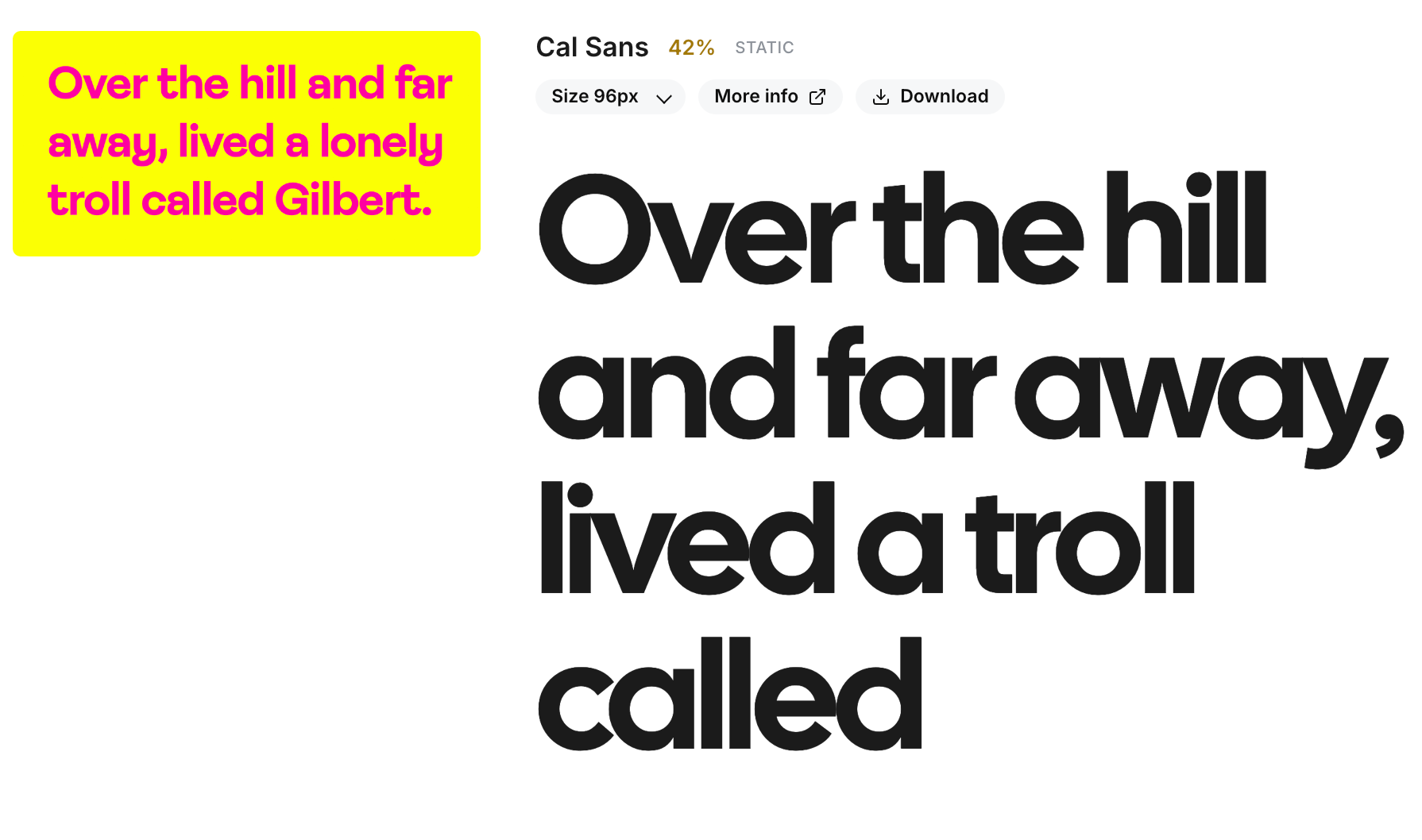
Lens font match preview showing a highlighted sample alongside the Cal Sans result.
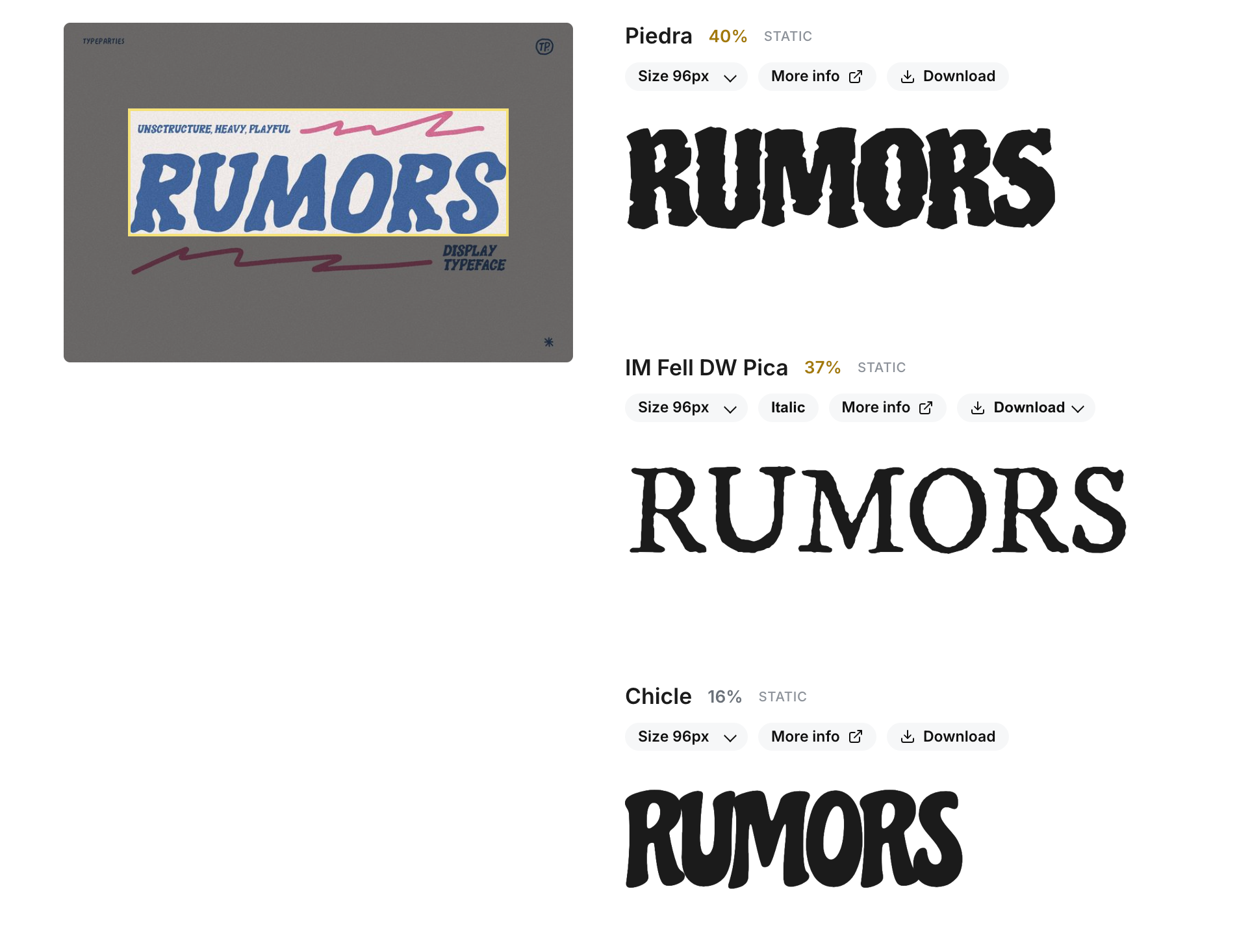
Lens font match preview showing a second interface screenshot inside the slideshow.

How It Works

01

Upload an image

Upload an image with text. Lens is designed to work with real-world references, so it can handle screenshots, posters, product shots, social assets, and more as long as the typography is clear enough to analyze.

Lens starts by finding the largest detectable word in the image, then isolates that sample for analysis. The model focuses on the most prominent text to account for images that might include a variety of fonts.

02

Recognition

Once the word box is identified, Lens analyzes the letterforms and compares them to a dataset of open-source fonts to find the closest match. Lens is trained on variants of specific fonts, including different weights and styles, so it can return a match that closely aligns with the original reference's visual characteristics.

Once the analysis is complete, Lens returns a ranked list of font candidates, starting with the closest match. Each result includes a link to the font's page on Google Fonts or its original source, making it easy to review and test the suggested options.

03

Usage

Lens is available through both Mixfont's workspace UI and a developer specific API workflow.The model can be run on demand via the API, making it a good fit for internal tooling and automation around typography recognition.

For users looking to try Lens without API integration, the workspace UI provides a simple interface for uploading images and reviewing results. The ranked font matches can be tested directly in the workspace, allowing users to quickly iterate and find the best fit for their project.

Frequently Asked Questions

What is Lens?

Lens is a modern neural network built specifically for font recognition. It's available online as a free font finder tool, and the full inference stack is also available on Github.

Lens works without manual tagging or labeling. Simply upload an image with text in it, and get back the name of the closest-looking open-source Google Font.

What kind of image works best with Lens?

Lens is trained on real-world typography samples, so it can handle a variety of image types. However, the more clear and higher-quality the text in the image, the better the results will be.

Screenshots, posters, product shots, and social assets are all valid inputs as long as the typography is clear.

Lens is designed to find the largest detectable word in the image, so images with a clear, prominent text sample will yield the best results. If there are multiple fonts in the image, Lens will focus on the most prominent one for analysis.

Can Lens identify a font from a screenshot, mockup, or scanned image?

Yes. Lens is a font recognition model built for real-world references, not just clean source files. You can use it to identify a font from a screenshot, mockup, scan, or flattened image as long as the text is clear enough to analyze.

Does Lens find the exact font or the closest matching font?

Lens is designed to return a practical font match you can actually use, not just a broad style label. In some cases that may be the same font, and in others it may be the closest open-source alternative based on the image you uploaded.

How do I find a font from an image with Lens?

Upload a reference image, and the model will isolate the most prominent word and return ranked font matches. The workflow is built to help you go from image to font suggestion quickly.

Can Lens help me find a free alternative to a commercial font?

Yes. Lens focuses on open-source font matches, which makes it useful when you need a free alternative to a commercial font for prototyping, production work, or licensing-safe substitution.

What is Lens useful for besides font identification?

Lens is useful for design QA, brand audits, creative production, and recreating typography from visual references. It works well in any workflow where a team needs to recognize fonts from images and turn that into an actionable shortlist.

Is there a font recognition API for Lens?

Yes. Lens is available through the Mixfont workspace and is also positioned for API-oriented workflows, which makes it a good fit for internal tools, automation, and other programmatic font recognition use cases.

How accurate is Lens for font recognition?

Lens returns a ranked shortlist rather than a blind final answer. The top result is often a strong starting point, but you should still compare the suggested font against your source image, especially when the sample is noisy, distorted, or heavily stylized.

Available now

Are you ready?

Upload a reference, run Lens, and move from image to usable font match without leaving the workflow.

Get started